WhatsApp Message Stuck on One Tick: Causes and Fixes
A single tick on WhatsApp means your message has not reached the customer's phone yet. The cause could be an offline phone, a wrong number, a block, marketing limits, or restrictions on your number. Here is what each tick means, how to diagnose the cause, and practical fixes.
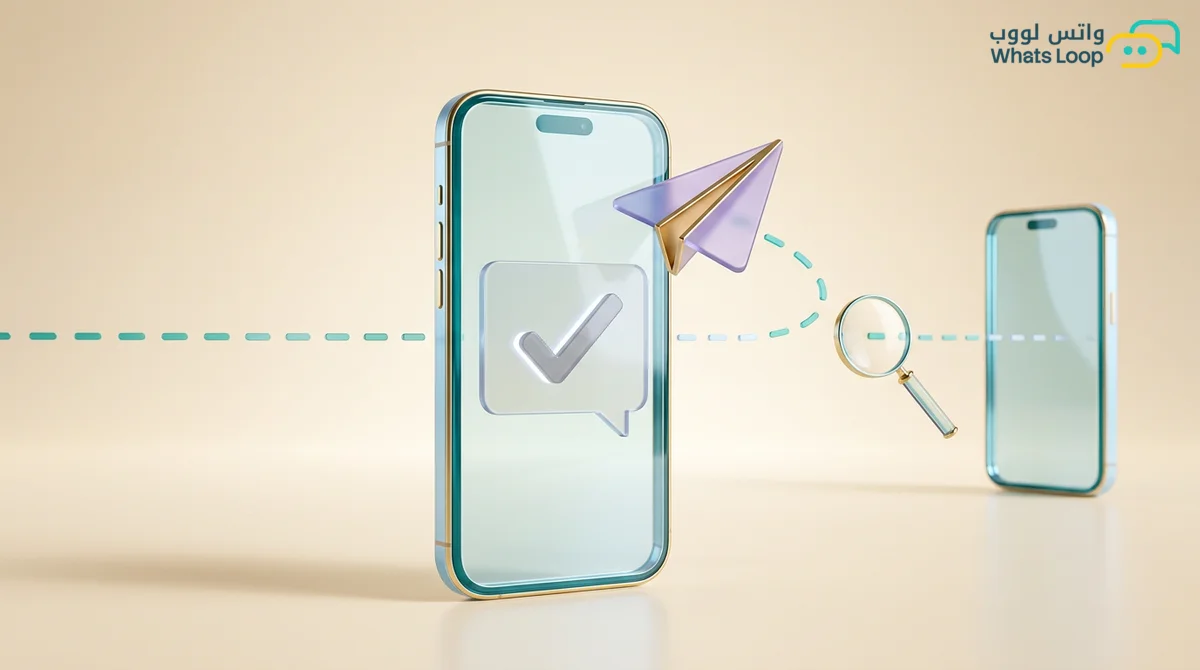
Short answer: a single grey tick means your message left your phone and reached WhatsApp's servers, but it has not reached the customer's device yet. Two grey ticks mean it was delivered, and two blue ticks mean it was read. The most common reasons a message stays on one tick are that the customer's phone is off or offline, the number is wrong or not on WhatsApp, or the customer has blocked you. If you send through the WhatsApp API there are extra reasons, such as an outdated app on the customer's side, Meta holding back a marketing message because of per-user limits, or restrictions on your own number. The fix starts with finding the cause from the message status, not with resending again and again.
Every merchant has been here. You send an order confirmation or a payment link, wait, and the single tick sits there for an hour, then two. The customer calls later saying nothing arrived, or worse, never calls and cancels the order. A single tick has several possible causes, some on your side, some on the customer's, and some inside WhatsApp itself, and each one needs a different fix.
What each tick means
| Indicator | Meaning | What to do |
|---|---|---|
| Small clock | The message has not left your phone | Check your own connection |
| One grey tick | Reached WhatsApp's servers, not the device | Wait a little, then check the causes below |
| Two grey ticks | Delivered to the customer's device | It arrived, they have not opened it yet |
| Two blue ticks | The customer opened the chat and read it | Follow up if there is no reply |
| Red exclamation mark | Sending failed | Retry or check the number |
One important detail: if a customer has turned off read receipts, you will never see blue ticks even after they read your message, so two grey ticks do not always mean unread.
Common causes in everyday use
The customer's phone is off or offline
This is the most common and simplest cause. The customer may be on a flight, out in the desert without coverage, out of battery, or have mobile data off. The message waits on WhatsApp's servers and arrives as soon as they reconnect. On the WhatsApp API, Meta holds messages for offline users for 30 days according to Meta's documentation at the time of writing, and if they do not come online within that period the message is not delivered.
The number is wrong or not on WhatsApp
Typos are more common than you think: an extra leading zero, a missing country code, or a missing digit. A Saudi number must be written in international format, meaning 966 followed by the number without its leading zero. Some customers have also changed numbers or left the old one without WhatsApp. If a new customer's first message stays on one tick, call them or send an SMS to confirm the number before anything else.
The customer has blocked you
When a customer blocks you, your messages stay on one tick forever and you never get a notice. The signs usually appear together: one tick for days, no profile photo, no last seen. Do not try to reach them from another number, since that raises the chance of a report.
Extra causes when you send through the WhatsApp API
On the API you do not rely on ticks alone, because the platform reports a status for every message, often with an error code. Meta's documentation makes clear that an accepted send request does not mean the message was delivered, so the status that follows is what counts.
Outdated app or unaccepted terms
Some customers run a very old WhatsApp version or have not accepted the latest Terms of Service and Privacy Policy. In both cases business messages are not delivered until they update, and all you can do is alert them through another channel if the message matters.
Per-user marketing limits
Meta limits how many marketing messages a single user receives from all businesses over a period, so their phone is not flooded with offers. If your customer has received many marketing messages from other businesses, yours may not arrive even when everything on your side is fine. This comes with a specific error code, and Meta's documentation at the time of writing recommends waiting 24 hours before retrying, because immediate retries lower your delivery rate for nothing. Service messages like order confirmations sent as utility templates are not affected the same way.
Outside the 24-hour window without a template
When a customer messages you, a customer service window opens for 24 hours according to Meta's documentation at the time of writing, and you can reply freely inside it. After it closes, any message you start must be an approved template. If the template itself was rejected or paused for quality, sending fails too. See our template approval tips.
Your own number is restricted
If reports and blocks pile up, Meta may lower your quality rating or temporarily limit sending. Then the problem is not one customer, you will see a large share of messages fail at once. The difference between a temporary restriction and a full ban is covered in our restriction vs ban guide.
How to diagnose it step by step
- Check whether it is one customer or many. One customer usually means the cause is on their side, while a large share of the list points to your side.
- Confirm the number format: country code present, leading zero removed, no spaces or symbols.
- Read the message status and error code on your platform if you use the API.
- Wait before retrying, especially for marketing limits.
- Reach out through another channel for anything important, like a payment link or appointment, and ask the customer to update the app or send you any message, which also reopens the 24-hour window.
Practical ways to reduce undelivered messages
- Verify numbers at signup, for example with a "Chat with us on WhatsApp" button after an order instead of typing the number by hand.
- Let the customer start the chat whenever you can, since their first message proves the number and opens the window.
- Clean your list regularly of numbers that fail every time.
- Send fewer marketing messages and focus on the ones customers expect.
- Add a "No more offers" button so customers can opt out instead of blocking you.
- Watch your quality rating weekly and pause if it turns yellow.
When to actually worry
One tick for one customer for a few hours is rarely worth worrying about. Worry when a large share of a single campaign is not delivered, when messages suddenly stop reaching everyone, or when Meta warns you about your number's quality. For the second case, read whether WhatsApp stopped because of a ban or a technical issue before changing anything.
Ready messages for a second channel
- Oud and perfume store, payment link not delivered: "Hi [name], we sent your payment link on WhatsApp but it looks like it did not arrive. Send us any message on our WhatsApp number and we will resend it right away."
- Women's salon, appointment confirmation: "Good evening [name], we tried to confirm tomorrow's appointment on WhatsApp but the message did not arrive. Could you check that your app is updated, or reply here to confirm?"
- Real estate office, interested lead: "Hello [name], we sent the apartment details you asked about on WhatsApp and they did not arrive. If that is not your WhatsApp number, send us the right one and we will continue."
Let the system tell you what happened
The hardest part of a single tick is not knowing why. With your messages connected to a WhatsApp API platform, you see each message's status and can tell whether the problem is one customer or the whole campaign. With WhatsLoop you can track campaign message status, segment your list and exclude numbers that always fail, and route replies to the shared inbox so no customer who answers gets lost. Start today by checking the number format across your list, since it is the easiest cause to eliminate.