WhatsApp Business Profile Optimization: Build Trust from the First Tap
Your WhatsApp business profile is where customers check you are a real store. Learn how to set up your picture, name, description, hours, address, links, and catalog, with examples for oud, abaya, restaurant, and salon businesses.
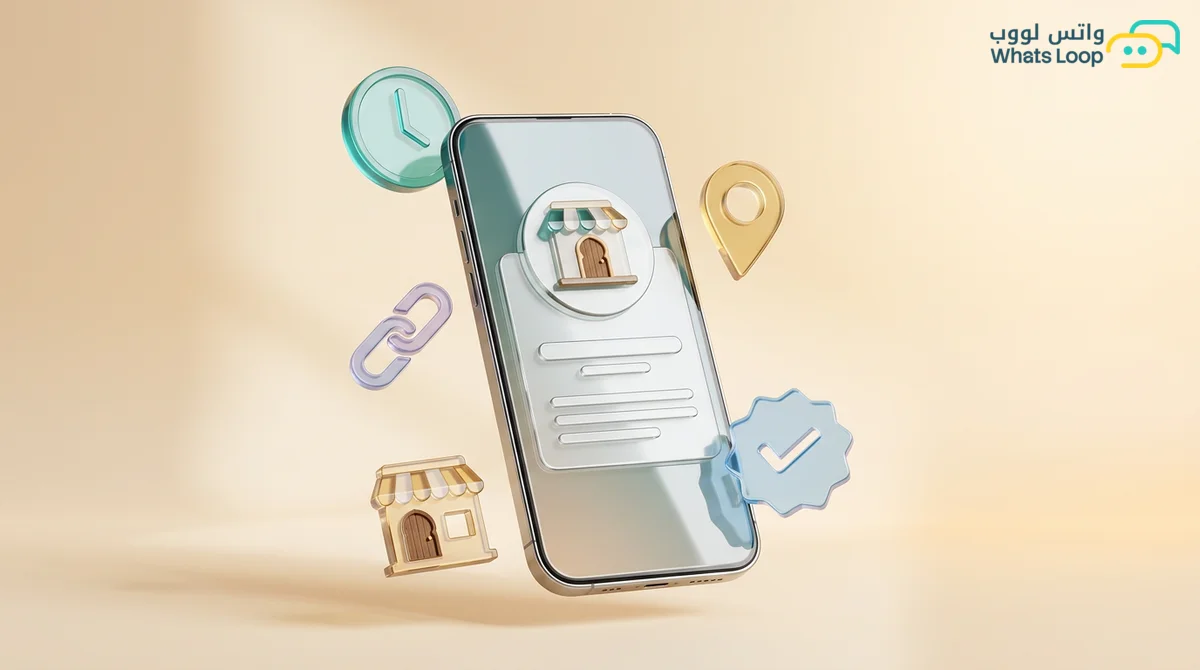
Short answer: your WhatsApp business profile is the first thing a customer checks before replying or buying, and it answers their silent question: is this a real store I can trust? To build that trust, your profile picture should show your logo clearly, your name should match the brand people already know, your description should say in two lines what you sell and to whom, your hours and address should be accurate, your links should open your official website and accounts, and your catalog should hold your core products with clear photos and prices. A complete, tidy profile cuts repeat questions and raises trust from the very first message.
Picture a customer who taps a WhatsApp link for an abaya store from a Snapchat ad. They open the chat and find an empty profile picture, a phone number for a name, and a description that says "We have everything". Before typing a word they hesitate, and they probably go back to the ad to look for an account that seems more trustworthy. A business profile takes an hour to set up once, and it works for you with every new customer who opens your chat.
Why the profile matters more than you think
Saudi shoppers have become wary of fake accounts and stores that vanish after a transfer, and the first place they check is your profile. When they tap your name and see a clear logo, a real address, and a website, they relax and continue. When the profile is half empty, they start asking questions it should have answered: where are you, when do you open, do you have a website?
A tidy profile also saves your team time. Every question about hours or location that the profile answers is one message your staff does not have to write, and that adds up fast in peak seasons.
The profile elements and how to write each one
| Element | The customer question it answers | The most common mistake |
|---|---|---|
| Profile picture | Is this the store I know? | A product photo or a cropped logo |
| Name | Who am I talking to? | A name that differs from ads and website |
| Description | What do you sell, and to whom? | Generic text that says nothing |
| Hours | When will they reply? | Outdated or empty hours |
| Address | Do they have a real place? | Incomplete, with no map link |
| Links | Where can I check more? | Broken links or old pages |
| Catalog | What are the products and prices? | Empty, or weak photos |
Profile picture: your logo, nothing else
The picture shows up tiny in the chat list and is cropped into a circle. Use your logo on a single-color background, centered so nothing gets cut off. Avoid product shots, offers, and text, which become unreadable at that size and make the account look temporary. If you run several branches or numbers, use the same picture across all of them.
Name: what customers already call you
Your account name should match your ads, shop sign, and website, not a legal entity name nobody recognizes. On the WhatsApp API, the display name goes through Meta review and needs a clear link to your business and known name, so have a website or official account showing the same name before you apply.
Description: two lines that say everything
Cover three things in plain language: what you sell, who it is for, and what sets you apart. For example:
- Oud and perfume store: "Oud oil, incense, and perfume blends in gift packaging, delivered across the Kingdom within days."
- Women's salon in Jeddah: "Haircuts, coloring, henna, and makeup for women, appointments booked on WhatsApp."
- Mandi restaurant: "Lamb and chicken mandi and madhbi, takeaway and catering for occasions, pickup or delivery."
- Real estate office: "Apartments and villas for rent and sale in north Riyadh, viewings by appointment."
Skip lines like "the best in the Kingdom", which add no information and sound like every other account.
Hours: honest and current
If you list 9 am to 11 pm, customers expect replies in that window. List the hours your team is actually available and let an auto-reply cover the rest with a clear note on when you will respond. Update hours for Ramadan, Eid, and peak seasons. Hours are easy to set in the WhatsApp Business app, while on the API the available fields differ, so if you cannot find an hours field, mention them in the description or welcome message.
Address: a real place reassures
Write the district, street, and city clearly, and add a maps link if you have a shop. If you are online only, name the city you ship from, since customers like knowing the order ships from inside the Kingdom.
Links and email: official and working
Add your website and main social account, then open each link from your phone to make sure it works. A broken link damages trust more than no link at all. Use an email on your own domain if you have one.
The catalog: a small showroom inside the chat
The catalog lets customers browse without leaving WhatsApp and saves you sending photos one by one every time someone asks "What do you have?"
- Start with best sellers. Twenty well-organized products beat two hundred random ones.
- Clean, clear photos, with every abaya shot on the same background in natural light.
- A name and short description, including size, weight, or ingredients.
- A clear price when it is fixed.
- Organized collections, such as "Winter abayas" and "Everyday abayas", or "Sukkari dates" and "Gift boxes".
Update it whenever something sells out or a price changes. The full setup is in our WhatsApp catalog guide for Saudi stores.
The welcome message completes the profile
Let the auto-reply greet first-time customers and offer clear options, such as: "Welcome to [store name], how can we help? Browse the catalog from the icon above, or choose: Orders, Gift boxes, Track an order." More examples by industry are in our welcome message examples.
Profile on the app versus the API
On the WhatsApp Business app you edit everything from settings. Once you move to the API, the profile becomes part of your Meta business account, edited from WhatsApp Manager or your platform's dashboard, with fields for a short about line, a longer description, address, email, websites, profile picture, and business category. Moving to the API is no reason to neglect it. API usually means larger campaigns, and every recipient who taps your name to check who you are lands on your profile, where a weak one can turn a curious customer into one who taps "Report".
One branch or several?
A single number is easier to manage and market, and your welcome message can ask which branch is closest. A number per branch suits restaurants and salons where orders or bookings depend on location. Keep the same logo everywhere, change the address and hours per branch, and add the district or city to the description.
Do you need the green badge?
Many merchants think trust only comes with the green badge, but a complete profile does most of the work. The badge helps well-known brands that get impersonated, and eligibility depends on public recognition. See our green badge guide to check if you qualify.
Checklist before you finalize
Open your profile from another phone as if you were a new customer, and confirm the logo fits the circle, the name matches your ads, the description explains what you sell in two lines, hours are current, the address is complete, every link works, the catalog has your core products, and the welcome message offers useful options. Repeat this before Ramadan, White Friday, and any big campaign.
A tidy profile and faster replies
The profile opens the door, but trust is completed by fast, helpful replies. With WhatsLoop the bot can answer repeat questions about hours, delivery, and prices, and route customers to your team in the shared inbox when they need a person. Set up your profile this week and let the first impression work in your favor.