AI WhatsApp Chatbot: How It Understands and Answers Customer Questions Smartly
Discover how an AI WhatsApp chatbot works, understands customer questions, and delivers accurate personalized responses.

AI WhatsApp Chatbot: How It Understands and Answers Customer Questions Smartly
Imagine a customer messaging you at 2 AM asking about a specific product size or your return policy. Without an intelligent bot, that message sits unanswered until morning, and by then, your competitor has already closed the deal. Research shows that the majority of customers buy from the first company that responds. This is exactly where an AI-powered WhatsApp chatbot changes the game.
Traditional Bots vs. AI Chatbots
Traditional chatbots operate on fixed menu trees and button flows. Ask something outside their scripted options and they either loop back to the main menu or give a generic "I didn't understand" response. AI chatbots are fundamentally different:
- Natural language understanding: A customer can type "what's ur cheapest plan?" and the bot recognizes a pricing inquiry
- Typo tolerance: Misspellings like "shiping costs" are correctly interpreted as "shipping costs"
- Context awareness: If a customer asks about a product and then says "how much is it?", the bot connects both messages
- Continuous learning: Every conversation makes the bot smarter for the next one
How AI Chatbots Work in WhatsLoop
WhatsLoop integrates advanced language models directly with the WhatsApp Business API. The process follows four stages:
- Message reception: The customer sends a text or voice message to your WhatsApp number
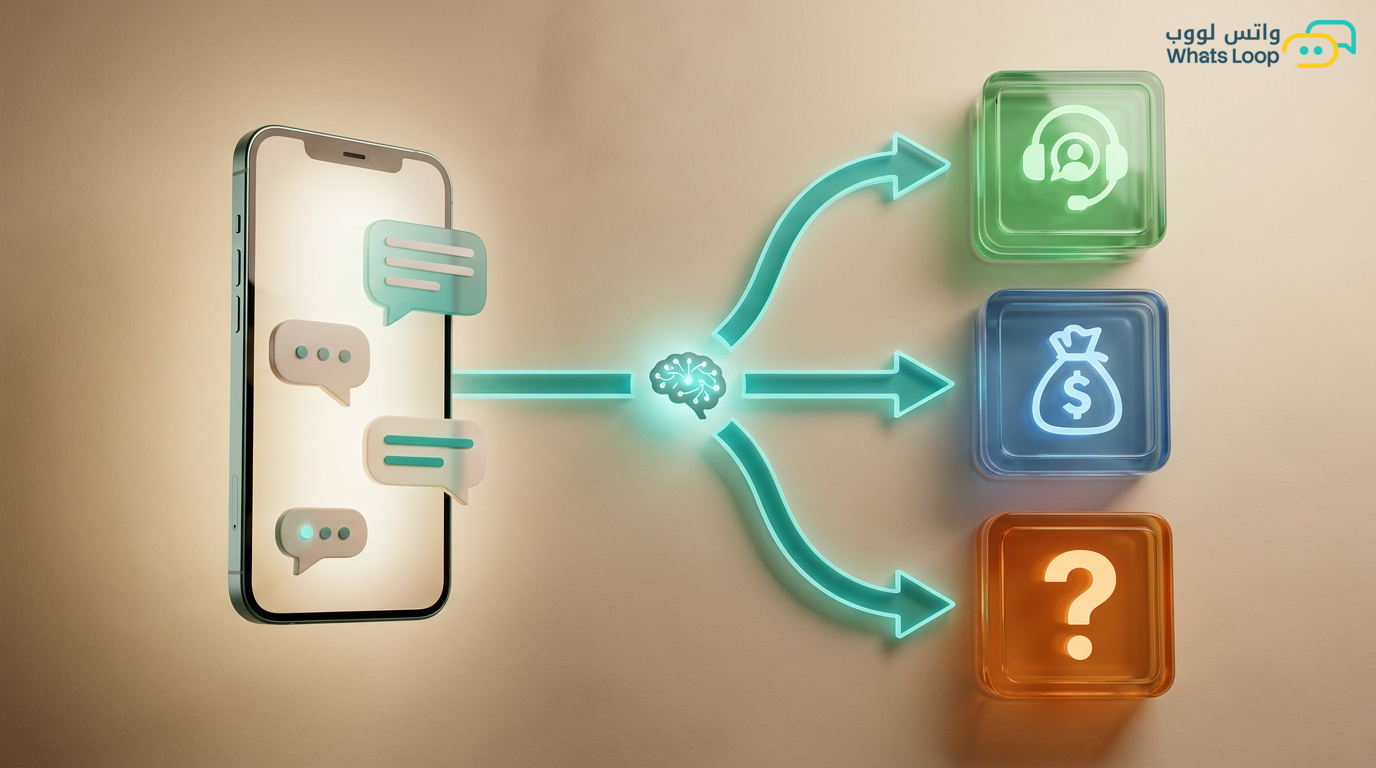
- Intent detection: The system analyzes the message to determine what the customer wants, a price check, appointment booking, complaint, or general inquiry
- Knowledge base search: The bot searches your product catalog, FAQs, and policies for the right answer
- Response generation: It crafts a natural reply in the customer's language, not a robotic copy-paste response
Numbers That Prove the Difference
Saudi businesses that activated AI chatbots through WhatsLoop have seen measurable results:
- Instant response rate increased significantly compared to manual replies
- A large portion of inquiries resolved without human intervention
- Average response time dropped from minutes to seconds
- Customer satisfaction increased noticeably within the first 3 months
Real-World Scenarios from the Saudi Market
E-Commerce Store on Salla
Customer asks: "Do you have the XYZ perfume in 100ml?" The bot searches the product catalog, finds the item, and responds with price, availability, and a direct order link. If the product is out of stock, it suggests a similar alternative.
Dental Clinic
Patient asks: "How much is teeth cleaning and do you accept Bupa insurance?" The bot responds with pricing, insurance policy details, and the nearest available appointment, all without occupying the receptionist's time.
Real Estate Company
Customer writes: "I want a 2-bedroom apartment in Riyadh, Al-Narjis district, budget 800K SAR" The bot filters available properties by specifications and sends the top 3 options with photos and prices.
Training the Bot on Your Data
The most powerful aspect of an AI chatbot is training it on your specific business data. In WhatsLoop:
- Upload your files: Product catalogs, FAQs, return policies, price lists
- Define bot personality: Formal or friendly, colloquial or formal language
- Set clear boundaries: When to hand off to a human agent, for example, when a customer is angry or the question is too complex
- Review and improve: The dashboard shows conversations the bot couldn't answer so you can add the missing information
When to Hand Off to a Human Agent
A smart bot knows its limits. WhatsLoop automatically transfers conversations to your human team when:
- The customer explicitly requests to speak with a person
- Customer sentiment is negative (anger or frustration)
- The question falls outside the knowledge base scope
- The conversation involves a large financial decision or sensitive matter
This balance between automation and human intervention is what makes the customer experience excellent.
Practical Tips for AI Chatbot Success on WhatsApp
Simply activating a bot is not enough, you need to set it up properly for maximum effectiveness. Here are practical steps from businesses that deployed their bots successfully:
Build a Comprehensive Knowledge Base
Your bot is only as good as the information you give it. The richer and more accurate the knowledge base, the better the bot's answers. Make sure to include:
- Frequently asked customer questions with detailed answers
- Complete return, exchange, and shipping policies
- Up-to-date pricing, the bot will not quote an outdated price if you keep the database current
- Working hours, branch locations, and addresses
Test the Bot Before Launching It to Customers
Before activating the bot on your official WhatsApp number, test it internally with your team for one week. Have every team member ask different questions, in colloquial Arabic, formal Arabic, and English. Record the questions it could not answer and add them to the knowledge base.
Define the Bot's Tone Clearly
Do you want the bot to respond formally or casually? Should it use Saudi colloquial or formal Arabic? Tone makes a significant difference in customer experience. A youth-oriented store needs a different tone than a law firm.
Monitor Conversations Where the Bot Failed
The WhatsLoop dashboard shows you every conversation the bot could not answer or transferred to an agent. This list is gold, every question you add an answer for makes the bot smarter and reduces the need for human intervention.
Connect the Bot to Your CRM System for Complete Customer Profiles
When the bot knows a customer's history (past purchases, inquiries, complaints) it can respond more intelligently and with greater personalization. Learn more about the benefits of connecting WhatsApp with CRM in our WhatsApp CRM integration guide.
For beginners in bot building, start by reading our no-code WhatsApp chatbot guide that explains the steps from scratch.
Frequently Asked Questions
Q: Can the AI chatbot understand voice messages? A: Yes. WhatsLoop automatically converts voice messages to text, analyzes their content, and responds accordingly. Customers can send voice notes instead of typing and the bot understands them.
Q: Can I disable the bot temporarily for certain customers? A: Yes. You can designate VIP customers or specific conversations to go directly to your human team without passing through the bot. This setting is available in the WhatsLoop dashboard.
Q: How many questions can the bot handle simultaneously? A: The bot handles a large number of conversations at the same time without delays. There is no practical limit, every customer receives an instant response regardless of how many active conversations are running.
Q: Is conversation data protected? A: Yes. WhatsLoop encrypts all conversations and complies with data protection standards. Your customer data is only accessible to you and your authorized team members.
How to Get Started
- Sign up for WhatsLoop and activate your account
- Upload your product or service data to the knowledge base
- Define your bot's personality and preferred language
- Activate the bot on your WhatsApp number
- Monitor performance from the dashboard and continuously improve
Start your free trial with WhatsLoop today, let AI handle your customer conversations while you focus on growing your business.